Kyocera

Kyocera TASKalfa MZ3200i in Brisbane

The Kyocera TASKalfa MZ3200i is a 32 page a minute A3 black and white multifunction copier: it copies, prints and scans. We supply it new, delivered, installed on your network and set up for scanning, with your team shown how to use it.

  • 32 pages a minute, A4
  • A3 black and white copy, print and scan
  • Brand new from us
  • Replacement warranty for the full term
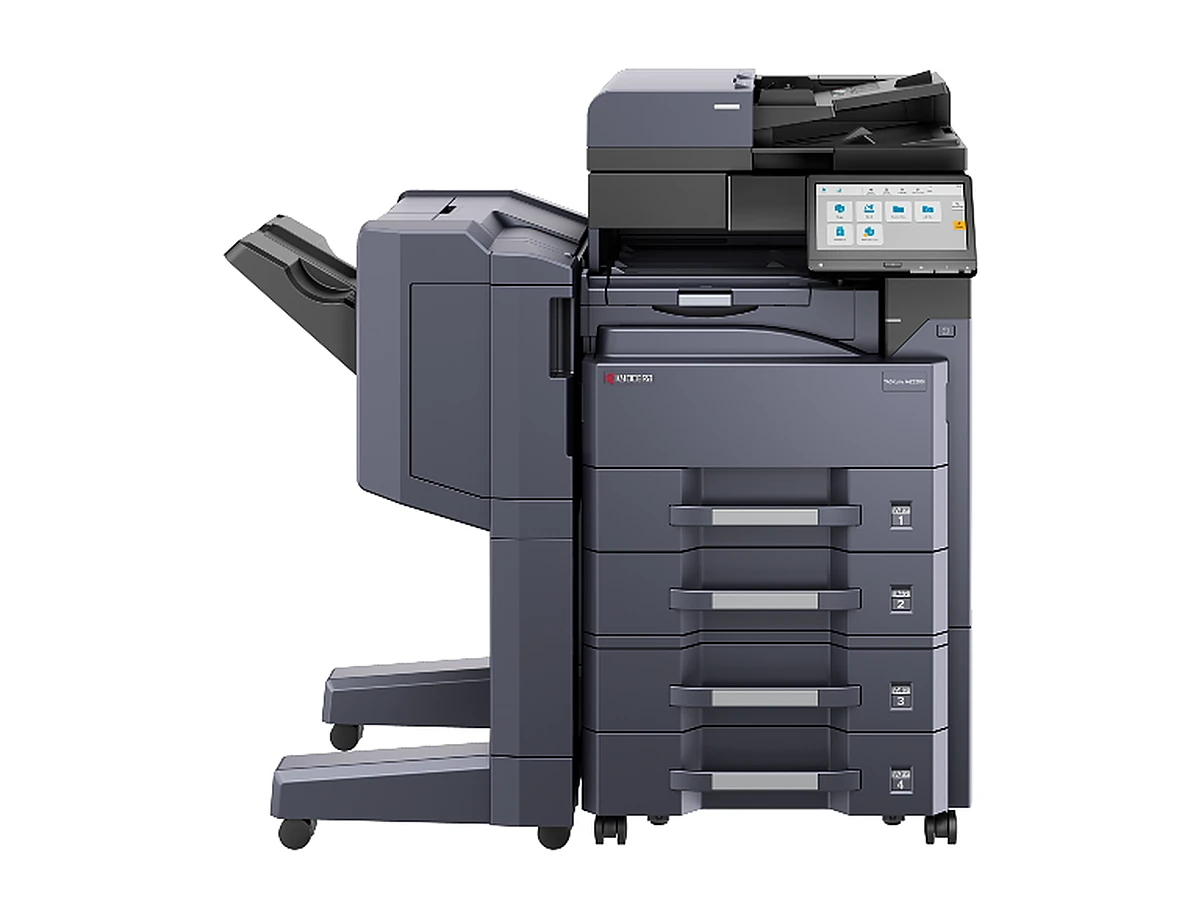
Kyocera TASKalfa MZ3200i photocopierThe maker's photograph

What it is

The TASKalfa MZ3200i is the 32 page a minute model of Kyocera's TASKalfa MZ4000i series, launched in 2022. Its sister in the series is the TASKalfa MZ4000i (40 pages a minute). It scans at up to 200 images a minute with the optional single pass document feeder, holds 1,100 sheets as standard and up to 4,100 with extra trays and takes card up to 256 gsm. Kyocera sells it new in Australia now.

TASKalfa MZ3200i: A3 black and white at 32 pages a minute, new from us.

At a glance

TASKalfa MZ3200i at a glance

From the maker's published specifications. Supplied new, delivered, installed and set up.

Paper
A3 and A4
Speed
32 a minute A4, 17 a minute A3
Scanning
Up to 200 images a minute, single pass duplex, with the optional feeder
Paper capacity
1,100 sheets, up to 4,100
Paper weight
Up to 256 gsm
Fax
Optional
First copy
4.3 seconds
Finishing
Optional DF 791 (3,000 sheets) or DF 7120 (1,000 sheets); PH 7C punch, MT 730(B) mailbox
Size, width by depth by height
594 x 696 x 683 mm, about 58 kg
Launched
2022
Ways to pay
Buy, rent or lease

Who it suits

The TASKalfa MZ3200i suits a team of about five to fifteen people. If more people print, the TASKalfa MZ4000i is the same machine at 40 pages a minute.

Buying one through us

We supply the TASKalfa MZ3200i new, with the maker's warranty. Delivery, installation on your network, scanning setup and showing your team how to use it are in the price.

Buy it outright, or rent or lease it, subject to approval. Rentals start from $15 a week plus GST on selected machines. On our service agreement it carries our replacement warranty for the whole term: if it fails, we replace it.

Talk it throughSomeone who knows copiers, on the phone.Monday to Friday, 8am to 5pm
(07) 3484 0534Get a quote
Ask about the Kyocera TASKalfa MZ3200i

Tell us which one, or how your office prints

Tell us what you need, or the model you have in mind. We reply with two or three machines that fit and the figures for each, in writing. No obligation.

Prefer to talk? Call (07) 3484 0534, Monday to Friday, 8am to 5pm.

Ask about the Kyocera TASKalfa MZ3200i

Tell us what you need. We tell you whether one is here now, its page count and the figures, in writing.

Asking about: Kyocera TASKalfa MZ3200i

Or call (07) 3484 0534. We never sell your details. Privacy.

Replacement warranty

If it fails, we replace it. For the whole term.

Every machine on our service agreement comes with our replacement warranty, new or secondhand, rented, leased, financed or bought outright. If it fails, we replace it. That cover lasts for the whole term of your agreement, not just the first year.

A maker's warranty on a new copier usually runs for 12 months and covers the hardware, not consumables. After that, the service agreement is what really covers you. The replacement warranty terms are set out in your agreement.

Questions

Questions about the Kyocera TASKalfa MZ3200i

Do you sell the Kyocera TASKalfa MZ3200i new?

Yes. We supply it new with the maker's warranty, delivered, installed on your network and set up for scanning.

TASKalfa MZ3200i or TASKalfa MZ4000i?

The same series at two speeds: 32 pages a minute for the TASKalfa MZ3200i, 40 for the TASKalfa MZ4000i. Pick the one that matches how many people print.

Can I rent the TASKalfa MZ3200i?

Yes, subject to approval. Rentals start from $15 a week plus GST on selected machines. Ask about the one you want and we will send the figures in writing.

Brisbane Copiers

Talk to someone who knows copiers.

Straight answers on machines, prices and agreements. Monday to Friday, 8am to 5pm.

(07) 3484 0534 Get a quote